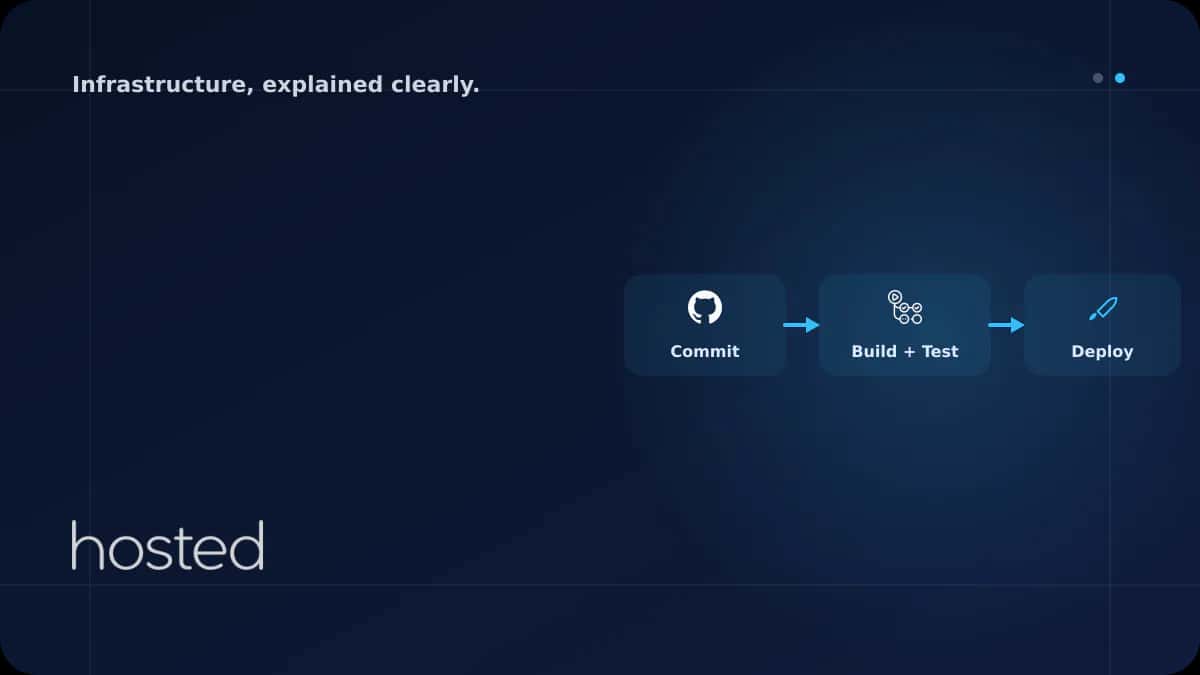
GitHub Actions ile CI/CD Pipeline Kurma: Node.js Örneği
Manuel test ve deploy süreçleri hem yavaş hem de hata yapmaya açıktır. GitHub Actions, kodunuz push edildiğinde otomatik olarak test, build ve deploy adımlarını çalıştıran ücretsiz bir CI/CD platformudur. Bu rehberde Node.js uygulaması için test, Docker image build, güvenlik taraması ve Kubernetes d
Elif Demir
Cloud Solutions Architect
Manuel test ve deploy süreçleri hem yavaş hem de hata yapmaya açıktır. GitHub Actions, kodunuz push edildiğinde otomatik olarak test, build ve deploy adımlarını çalıştıran ücretsiz bir CI/CD platformudur. Bu rehberde Node.js uygulaması için test, Docker image build, güvenlik taraması ve Kubernetes deploy adımlarını içeren tam bir pipeline kuruyoruz.
GitHub Actions Temelleri
GitHub Actions, repository'nizdeki .github/workflows/ dizinindeki YAML dosyalarıyla tanımlanır. Her workflow bir veya birden fazla job içerir, her job adımlardan (steps) oluşur. Workflow'lar push, pull request, schedule veya manuel tetiklenebilir.
| Kavram | Açıklama | Örnek |
|---|---|---|
| Workflow | Otomatik süreç tanımı | ci.yml dosyası |
| Job | Paralel veya sıralı çalışan iş birimi | test, build, deploy |
| Step | Job içindeki tek bir komut veya action | npm test, docker build |
| Action | Yeniden kullanılabilir step paketi | actions/checkout@v4 |
Test ve Lint Pipeline
İlk adım olarak her push ve pull request'te otomatik test ve lint çalıştıran bir workflow oluşturalım.
name: CI Pipeline
on:
  push:
    branches: [main, develop]
  pull_request:
    branches: [main]

jobs:
  test:
    runs-on: ubuntu-latest
    strategy:
      matrix:
        node-version: [18, 20, 22]
    steps:
    - uses: actions/checkout@v4
    - uses: actions/setup-node@v4
      with:
        node-version: ${{ matrix.node-version }}
        cache: 'npm'
    - run: npm ci
    - run: npm run lint
    - run: npm test -- --coverage
    - uses: actions/upload-artifact@v4
      with:
        name: coverage-${{ matrix.node-version }}
        path: coverage/
Docker Build ve Deploy Pipeline
Test başarılı olduktan sonra Docker image oluşturup registry'ye push eden ve Kubernetes'e deploy eden tam pipeline:
name: Build & Deploy
on:
  push:
    branches: [main]

env:
  REGISTRY: ghcr.io
  IMAGE_NAME: ${{ github.repository }}

jobs:
  build:
    runs-on: ubuntu-latest
    permissions:
      contents: read
      packages: write
    steps:
    - uses: actions/checkout@v4

    - uses: docker/login-action@v3
      with:
        registry: ${{ env.REGISTRY }}
        username: ${{ github.actor }}
        password: ${{ secrets.GITHUB_TOKEN }}

    - uses: docker/build-push-action@v5
      with:
        context: .
        push: true
        tags: |
          ${{ env.REGISTRY }}/${{ env.IMAGE_NAME }}:${{ github.sha }}
          ${{ env.REGISTRY }}/${{ env.IMAGE_NAME }}:latest
        cache-from: type=gha
        cache-to: type=gha,mode=max

  deploy:
    needs: build
    runs-on: ubuntu-latest
    steps:
    - uses: actions/checkout@v4
    - uses: azure/k8s-set-context@v4
      with:
        kubeconfig: ${{ secrets.KUBE_CONFIG }}
    - run: |
        kubectl set image deployment/web-app \
          web-app=${{ env.REGISTRY }}/${{ env.IMAGE_NAME }}:${{ github.sha }} \
          -n production
💡 İpucu: cache-from: type=gha GitHub Actions cache'ini kullanarak Docker build süresini önemli ölçüde kısaltır. İlk build sonrası değişmeyen layer'lar cache'den gelir.
Pipeline Güvenlik Adımları
-
Secret'ları Repository Settings'te Saklayın API anahtarları, kubeconfig ve registry credential'larını GitHub Secrets'ta saklayın. Workflow dosyasına asla düz metin olarak yazmayın.
-
Action Sürümlerini Pinleyin
actions/checkout@v4yerineactions/[email protected]veya commit SHA kullanın. Supply chain saldırılarına karşı koruma sağlar. -
Image Güvenlik Taraması Ekleyin Build sonrası Trivy ile image taraması yapın. Kritik açık bulunursa pipeline'ı durdurun:
trivy image --exit-code 1 --severity CRITICAL -
Minimum İzin Prensibi Uygulayın
permissionsbloğuyla her job'a yalnızca ihtiyaç duyduğu izinleri verin. Varsayılan olarak tüm izinler açıktır.
Docker image optimizasyonu için Multi-Stage Build rehberimizi, container güvenliği için Container Güvenliği rehberimizi inceleyin. GitOps yaklaşımı için ArgoCD rehberimize göz atın. GitHub Actions dokümantasyonu ve Actions Marketplace ek kaynak olarak faydalıdır.
Sıkça Sorulan Sorular
GitHub Actions ücretsiz mi?
Public repository'ler için tamamen ücretsizdir. Private repository'lerde aylık 2.000 dakika ücretsiz kullanım hakkı vardır (Free plan). Ek dakikalar ücretlidir. Self-hosted runner kullanarak maliyeti sıfırlayabilirsiniz.
GitHub Actions ile Jenkins arasındaki fark nedir?
GitHub Actions bulut tabanlı ve GitHub ile native entegredir, sunucu yönetimi gerektirmez. Jenkins self-hosted, daha esnek ancak kurulum ve bakım gerektirir. Küçük-orta ekipler için GitHub Actions, karmaşık kurumsal pipeline'lar için Jenkins daha uygun olabilir.
Matrix strategy ne işe yarar?
Matrix strategy, aynı job'u farklı parametrelerle paralel çalıştırır. Örneğin Node.js 18, 20 ve 22 sürümlerinde aynı anda test yapabilirsiniz. Bu sayede uyumluluk sorunlarını erken tespit edersiniz.
Self-hosted runner ne zaman kullanmalıyım?
Özel donanım gereksinimi (GPU, ARM), ağ kısıtlamaları (private network erişimi) veya maliyet optimizasyonu gerektiğinde self-hosted runner kullanın. Güvenlik için runner'ları izole ortamda çalıştırın ve düzenli güncelleyin.
Sonuç
GitHub Actions ile test, build ve deploy süreçlerini otomatikleştirerek geliştirme hızınızı artırabilir ve hata oranını düşürebilirsiniz. Matrix strategy ile çoklu sürüm testi yapın, Docker cache ile build sürelerini kısaltın, güvenlik taraması ile açıkları erken tespit edin ve secret yönetimini doğru uygulayın.
CI/CD Pipeline'ınız İçin Güçlü Altyapı
Hosted Cloud bulut sunucuları ile uygulamalarınızı hızlı ve güvenli deploy edin.
Bulut Sunucu Planlarını İncele →Elif Demir
Cloud Solutions Architect
Kurumsal bulut geçiş projeleri ve hibrit altyapı tasarımı konusunda uzman. AWS, Azure ve özel bulut ortamlarında 8 yıllık deneyime sahiptir.
Yorumlar yakında