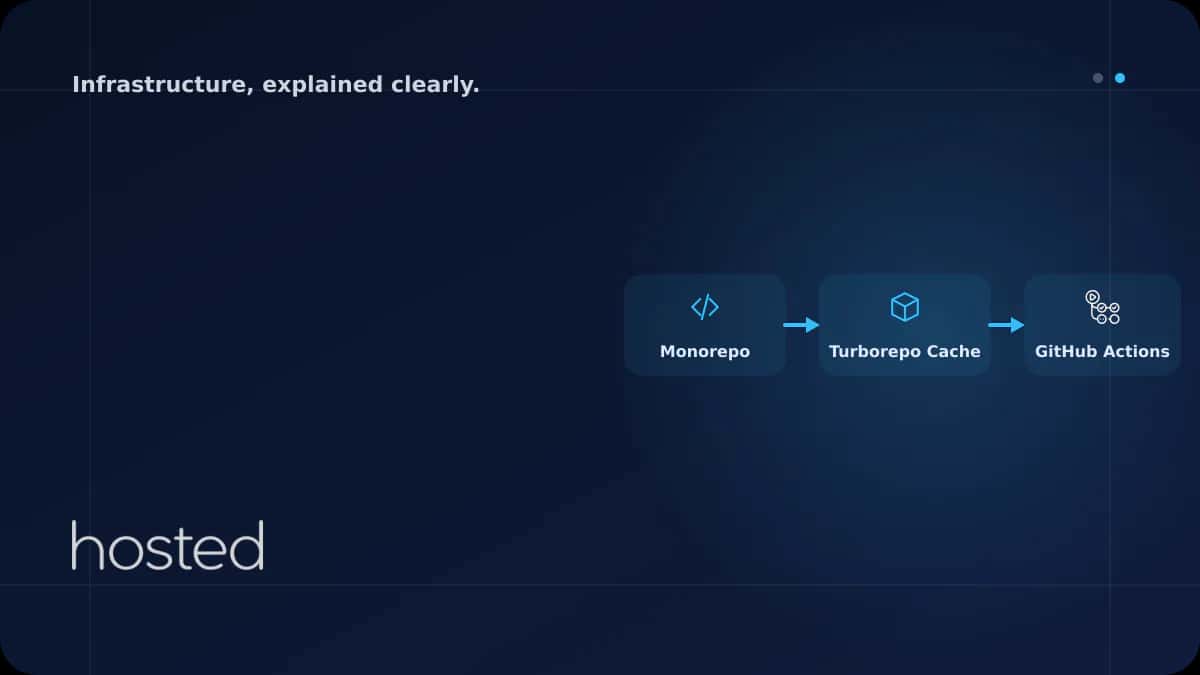
Monorepo Yapısında CI/CD: Turborepo ve GitHub Actions Entegrasyonu
Birden fazla uygulama ve paketi tek bir repository'de yonetmek, dogru araçlar olmadan kaosa donusebilir. Turborepo, akıllı caching ve task pipeline mekanizmasıyla monorepo projelerinde CI/CD süreçlerini dramatik şekilde hızlandırır. Bu rehberde Turborepo kurulumundan GitHub Actions entegrasyonuna, r
Can Kaya
Güvenlik Uzmanı
Birden fazla uygulama ve paketi tek bir repository'de yonetmek, dogru araçlar olmadan kaosa donusebilir. Turborepo, akıllı caching ve task pipeline mekanizmasıyla monorepo projelerinde CI/CD süreçlerini dramatik şekilde hızlandırır. Bu rehberde Turborepo kurulumundan GitHub Actions entegrasyonuna, remote caching'den affected filter'a kadar tüm süreci adım adım inceliyoruz.
Monorepo vs Polyrepo Karşılaştırması
Monorepo ve polyrepo arasındaki seçim, ekip büyüklüğü, proje yapısı ve deployment stratejisine bağlıdır. Aşağıdaki tablo temel farkları özetler.
| Özellik | Monorepo | Polyrepo |
|---|---|---|
| Kod paylaşımı | Kolay (internal packages) | Zor (npm publish gerekli) |
| CI/CD karmaşıklığı | Orta (affected filter ile) | Düşük (bağımsız pipeline) |
| Dependency yönetimi | Merkezi (tek lock file) | Dağınık (her repo ayrı) |
| Atomic değişiklikler | Tek PR ile mümkün | Birden fazla PR gerekli |
| Repo boyutu | Büyük (tüm kod tek yerde) | Küçük (izole repolar) |
💡 İpucu: 3+ uygulama ve ortak paketleriniz varsa monorepo yapısı kod paylaşımını ve versiyon uyumunu kolaylaştırır. Turborepo, Nx veya Lerna gibi araçlar bu süreci yönetilebilir kılar.
Turborepo Kurulumu ve Proje Yapısı
Turborepo, Vercel tarafından geliştirilen yüksek performanslı bir monorepo build sistemidir. Yeni bir proje oluşturmak veya mevcut projeye eklemek oldukça kolaydır.
# Yeni monorepo projesi oluşturma
npx create-turbo@latest my-monorepo

# Mevcut projeye Turborepo ekleme
npm install turbo --save-dev

# Proje yapısı
my-monorepo/
├── apps/
│   ├── web/          # Next.js frontend
│   ├── api/          # Express backend
│   └── admin/        # Admin panel
├── packages/
│   ├── ui/           # Paylaşılan UI bileşenleri
│   ├── config/       # ESLint, TS config
│   └── utils/        # Ortak yardımcı fonksiyonlar
├── turbo.json
├── package.json
└── pnpm-workspace.yaml
Workspace tanımı için pnpm-workspace.yaml dosyasında apps ve packages dizinlerini belirtin:
packages:
  - "apps/*"
  - "packages/*"
Task Pipeline Yapılandırması (turbo.json)
Turborepo'nun gücü turbo.json dosyasındaki task pipeline tanımlarından gelir. Her task'ın bağımlılıkları, çıktıları ve cache davranışı burada belirlenir.
{
  "$schema": "https://turbo.build/schema.json",
  "globalDependencies": ["**/.env.*local"],
  "tasks": {
    "build": {
      "dependsOn": ["^build"],
      "outputs": [".next/**", "!.next/cache/**", "dist/**"]
    },
    "test": {
      "dependsOn": ["build"],
      "inputs": ["src/**/*.tsx", "src/**/*.ts", "test/**"]
    },
    "lint": {
      "dependsOn": ["^build"]
    },
    "dev": {
      "cache": false,
      "persistent": true
    }
  }
}
⚠️ Dikkat: ^build notasyonu "önce bağımlılıkların build task'ını çalıştır" anlamına gelir. Bu sayede packages/ui build edildikten sonra apps/web build edilir. Sıralama hatalı olursa build başarısız olur.
GitHub Actions ile Affected Filter
Monorepo'da her push'ta tüm uygulamaları build etmek gereksizdir. Turborepo'nun --filter flag'i ile yalnızca değişen paketleri ve onlara bağımlı uygulamaları build edebilirsiniz.
name: CI
on:
  push:
    branches: [main]
  pull_request:
    branches: [main]

jobs:
  build:
    runs-on: ubuntu-latest
    steps:
      - uses: actions/checkout@v4
        with:
          fetch-depth: 2

      - uses: pnpm/action-setup@v3
        with:
          version: 9

      - uses: actions/setup-node@v4
        with:
          node-version: 20
          cache: "pnpm"

      - run: pnpm install --frozen-lockfile

      # Yalnızca değişen paketleri build et
      - run: pnpm turbo build --filter=...[HEAD^1]

      # Değişen paketlerin testlerini çalıştır
      - run: pnpm turbo test --filter=...[HEAD^1]

      # Lint kontrolü
      - run: pnpm turbo lint --filter=...[HEAD^1]
--filter=...[HEAD^1] ifadesi son commit'ten bu yana değişen paketleri ve onlara bağımlı tüm paketleri seçer. Bu sayede 10 uygulamalı bir monorepo'da sadece 2 uygulama değiştiyse, yalnızca o 2 uygulama build edilir.
Remote Caching ile Build Hızlandırma
Turborepo'nun en güçlü özelliklerinden biri remote caching'dir. Bir geliştirici veya CI runner build çıktısını cache'e yazar, aynı input'a sahip başka bir runner bu cache'i kullanarak build'i atlar.
jobs:
  build:
    runs-on: ubuntu-latest
    env:
      TURBO_TOKEN: ${{ secrets.TURBO_TOKEN }}
      TURBO_TEAM: ${{ vars.TURBO_TEAM }}
    steps:
      - uses: actions/checkout@v4
      - uses: pnpm/action-setup@v3
      - uses: actions/setup-node@v4
        with:
          node-version: 20
          cache: "pnpm"
      - run: pnpm install --frozen-lockfile
      # Remote cache otomatik olarak aktif
      - run: pnpm turbo build test lint
💡 İpucu: Remote caching ile ortalama CI süreleri %40-65 oranında kısalır. Vercel Remote Cache ücretsiz kullanılabilir veya self-hosted cache server kurabilirsiniz. turbo login ve turbo link komutlarıyla hesabınızı bağlayın.
CI/CD pipeline temelleri için GitHub Actions CI/CD rehberimizi, GitOps yaklaşımı için ArgoCD rehberimizi, deployment stratejileri için Blue-Green ve Canary Deployment rehberimizi inceleyin. Turborepo Resmi Dokümantasyonu ve GitHub Actions Dokümantasyonu ek kaynak olarak faydalıdır.
Sıkça Sorulan Sorular
Turborepo ile Nx arasındaki fark nedir?
Turborepo daha hafif ve yapılandırması kolaydır, özellikle JavaScript/TypeScript projelerine odaklanır. Nx daha kapsamlı bir ekosistem sunar, code generation ve plugin sistemi ile birden fazla dili destekler. Küçük-orta projeler için Turborepo, büyük kurumsal projeler için Nx tercih edilebilir.
Monorepo'da her uygulama için ayrı deploy yapılabilir mi?
Evet, Turborepo'nun filter mekanizması ile her uygulamayı bağımsız olarak build ve deploy edebilirsiniz. --filter=web gibi komutlarla sadece belirli bir uygulamayı hedefleyebilirsiniz.
Remote caching güvenli mi?
Vercel Remote Cache, artifact'ları şifrelenmiş olarak saklar ve yalnızca yetkili team üyeleri erişebilir. Self-hosted çözümlerde de HTTPS ve token tabanlı kimlik doğrulama kullanılmalıdır.
Monorepo'da Git performansı düşer mi?
Büyük monorepo'larda Git işlemleri yavaşlayabilir. Git sparse-checkout ve shallow clone kullanarak CI'da sadece gerekli dizinleri çekebilirsiniz. GitHub Actions'da fetch-depth: 2 ayarı bu sorunu hafifletir.
Sonuç
Turborepo ve GitHub Actions kombinasyonu, monorepo projelerinde CI/CD süreçlerini hızlı, verimli ve yönetilebilir kılar. Task pipeline ile bağımlılık sıralamasını otomatikleştirin, affected filter ile gereksiz build'leri atlayın ve remote caching ile CI sürelerini dramatik şekilde kısaltın.
Monorepo CI/CD İçin Hızlı Altyapı
Hosted Cloud sunucuları ile build ve deploy süreçlerinizi hızlandırın.
Bulut Sunucu Planlarını İncele →Can Kaya
Güvenlik Uzmanı
Siber güvenlik, DDoS koruması ve sunucu sertleştirme konularında içerikler üretmektedir. CISSP sertifikalı güvenlik uzmanı.
Yorumlar yakında