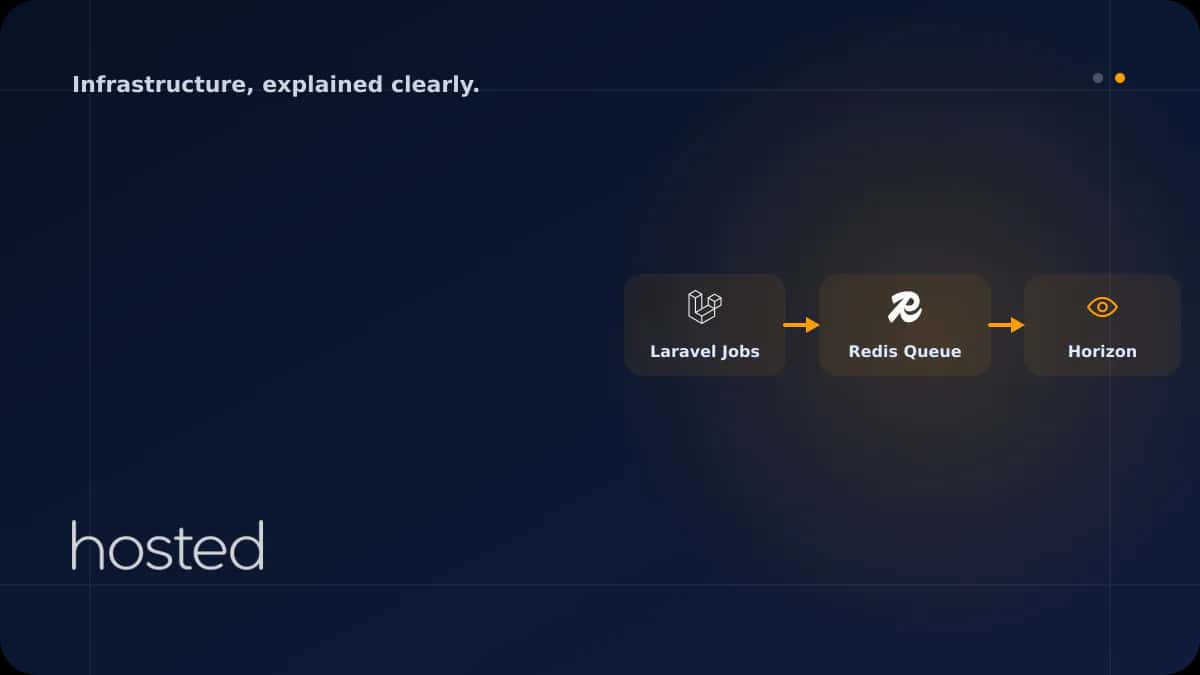
Job Queue Monitoring with Laravel Horizon and Redis Integration
In Laravel applications, time-consuming tasks like sending emails, image processing, API calls, and report generation are offloaded to a queue system. Laravel Horizon is a dashboard and configuration tool that lets you monitor Redis-based queues in real time, auto-scale worker counts, and manage fai
Ahmet Yılmaz
Senior Infrastructure Engineer
In Laravel applications, time-consuming tasks like sending emails, image processing, API calls, and report generation are offloaded to a queue system. Laravel Horizon is a dashboard and configuration tool that lets you monitor Redis-based queues in real time, auto-scale worker counts, and manage failed jobs. This guide covers every step from Horizon installation to production deployment.
What Is Laravel Horizon?
Horizon is Laravel's official queue management package. It adds a real-time dashboard, automatic worker balancing, metrics, and a notification system on top of php artisan queue:work. Horizon works exclusively with the Redis queue driver - database or SQS drivers are not supported.
| Feature | queue:work | Horizon |
|---|---|---|
| Dashboard | None | Real-time web UI |
| Worker Management | Manual (Supervisor) | Auto-balancing |
| Metrics | None | Throughput, wait time, success rate |
| Failed Jobs | failed_jobs table | Dashboard retry + notifications |
Installation and Redis Configuration
Horizon requires Redis to be running on your server. Set the queue driver to Redis in Laravel's .env file, then install Horizon:
# Install Redis (Ubuntu/Debian)
sudo apt install redis-server
sudo systemctl enable redis-server

# Install Horizon
composer require laravel/horizon
php artisan horizon:install

# .env settings
QUEUE_CONNECTION=redis
REDIS_HOST=127.0.0.1
REDIS_PORT=6379
The horizon:install command creates the config/horizon.php configuration file and Horizon dashboard assets. Access the dashboard at /horizon.
Queue and Worker Configuration
Horizon's power lies in defining different worker counts for different queues. For example, email sending can be high priority while report generation is low priority:
'environments' => [
    'production' => [
        'supervisor-1' => [
            'maxProcesses' => 10,
            'balanceMaxShift' => 1,
            'balanceCooldown' => 3,
            'balance' => 'auto',
            'queue' => [
                'high',
                'default',
                'low',
            ],
            'tries' => 3,
            'timeout' => 300,
            'memory' => 128,
        ],
    ],
],
💡 Tip: The balance: 'auto' setting lets Horizon automatically assign more workers to busy queues. maxProcesses: 10 caps the total worker count. Adjust this based on your server's RAM - each worker consumes approximately 50-100 MB of memory.
Creating and Dispatching Jobs
In Laravel, jobs are classes that implement the ShouldQueue interface. Horizon manages these jobs through Redis. You can dispatch jobs to different queues with different priorities:
class ProcessOrder implements ShouldQueue
{
    use Dispatchable, InteractsWithQueue, Queueable, SerializesModels;

    public int $tries = 3;
    public int $timeout = 120;
    public int $maxExceptions = 2;

    public function handle(): void
    {
        // Order processing logic
    }

    public function failed(Throwable $e): void
    {
        // Send notification on failure
        Notification::route('slack', config('services.slack.webhook'))
            ->notify(new JobFailedNotification($e));
    }
}

// Dispatch to high priority queue
ProcessOrder::dispatch($order)->onQueue('high');

// Delayed job (run after 5 minutes)
ProcessOrder::dispatch($order)->delay(now()->addMinutes(5));
Production Deployment
Running Horizon in production requires the Supervisor process manager. Supervisor monitors the Horizon process and automatically restarts it if it crashes. We covered Supervisor setup in detail in our Laravel Hosting guide.
[program:horizon]
process_name=%(program_name)s
command=php /var/www/app/artisan horizon
autostart=true
autorestart=true
user=www-data
redirect_stderr=true
stdout_logfile=/var/log/horizon.log
stopwaitsecs=3600
⚠️ Important: The stopwaitsecs=3600 setting is critical. Horizon waits for running jobs to complete before shutting down. This value must be greater than the timeout of your longest-running job. Otherwise, jobs will be terminated mid-execution.
Restarting Horizon During Deployment
After code updates, Horizon needs to be restarted to load the new code. The horizon:terminate command waits for current jobs to finish, then Supervisor starts Horizon with the new code:
#!/bin/bash
php artisan down
git pull origin main
composer install --no-dev --optimize-autoloader
php artisan migrate --force
php artisan config:cache
php artisan route:cache
php artisan horizon:terminate  # Graceful restart
php artisan up
For dashboard security, define an authorization gate in HorizonServiceProvider. In production, only admin users should access the dashboard. Run Redis and Horizon with high performance on Hosted Cloud servers. For more on queue monitoring, check the official Laravel Horizon documentation.
Frequently Asked Questions
Does Horizon work with queue drivers other than Redis?
No, Horizon works exclusively with the Redis queue driver. If you're using database, SQS, or Beanstalkd, you cannot use Horizon. Switching to Redis is usually straightforward - set QUEUE_CONNECTION=redis in .env and install Redis.
How much RAM does Horizon consume?
Horizon itself uses about 50 MB. Each worker adds 50-100 MB. With 10 workers, expect 550 MB - 1 GB total memory usage. Use the memory setting in config/horizon.php to set per-worker limits.
How do I retry failed jobs?
From the Horizon dashboard's Failed Jobs tab, you can retry individually or in bulk. From the command line, use php artisan horizon:forget {id} to delete or php artisan queue:retry {id} to retry.
Is the Horizon dashboard secure in production?
By default, it's only accessible in local environments. For production, define authorization in the gate() method of HorizonServiceProvider. Add IP restrictions or admin role checks to secure access.
What's the difference between Horizon and Supervisor?
Supervisor is a process manager - it monitors any process and restarts it if it crashes. Horizon is a Laravel-specific queue management tool. In production, they're used together: Supervisor monitors the Horizon process.
Conclusion
Laravel Horizon enhances Redis-based queue management with a real-time dashboard, automatic worker balancing, and detailed metrics. Combined with Supervisor, you get a reliable and scalable job processing infrastructure in production. Use horizon:terminate for graceful restarts during deployment to prevent job loss.
Powerful Infrastructure for Your Laravel Application
Run Laravel Horizon and Redis with high performance on Hosted Cloud's NVMe SSD cloud servers.
Explore Cloud Server Plans →Ahmet Yılmaz
Senior Infrastructure Engineer
With over 10 years of experience in cloud infrastructure and DevOps, Ahmet specializes in Kubernetes, Terraform, and high-availability architectures.
Comments coming soon