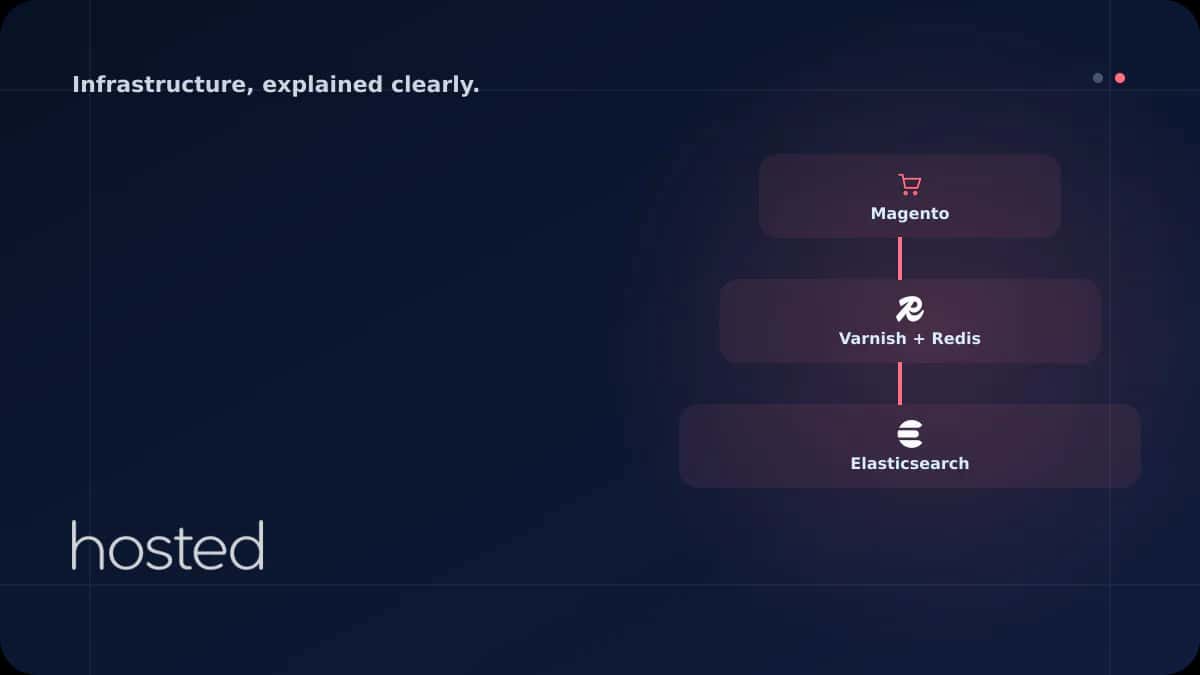
Magento 2 Hosting Optimization: Redis, Elasticsearch and Varnish Settings
Magento 2 is one of the most powerful enterprise-level e-commerce platforms, but that power translates to sluggishness on a poorly configured server. Default installations can see page load times of 5-8 seconds. With Redis cache, Elasticsearch, Varnish full-page cache, and PHP-FPM optimization, it's
Merve Arslan
WordPress & Hosting Expert
Magento 2 is one of the most powerful enterprise-level e-commerce platforms, but that power translates to sluggishness on a poorly configured server. Default installations can see page load times of 5-8 seconds. With Redis cache, Elasticsearch, Varnish full-page cache, and PHP-FPM optimization, it's possible to bring this under 1-2 seconds. In this guide, we optimize your Magento 2 hosting infrastructure layer by layer.
Magento 2 Infrastructure Requirements
Magento 2 is a resource-demanding platform. According to Adobe's official system requirements, it requires a minimum of 2 GB RAM, but anything below 4 GB in production causes serious performance issues.
| Component | Minimum | Recommended (Production) |
|---|---|---|
| CPU | 2 vCPU | 4+ vCPU |
| RAM | 2 GB | 8+ GB |
| Disk | SSD 20 GB | NVMe SSD 50+ GB |
| PHP | 8.1 | 8.2 / 8.3 |
| MySQL/MariaDB | 8.0 / 10.6 | 8.0+ / 10.11+ |
| Elasticsearch/OpenSearch | 7.17 | 8.x / OpenSearch 2.x |
Redis Cache Configuration
Magento 2 uses file-based cache by default. Hundreds of files are read on every page load, creating a disk I/O bottleneck. Switching to Redis reduces cache read times from milliseconds to microseconds. In Magento, Redis serves three purposes: backend cache, full-page cache, and session storage.
// Backend cache - Redis DB 0
'cache' => [
    'frontend' => [
        'default' => [
            'backend' => 'Magento\\Framework\\Cache\\Backend\\Redis',
            'backend_options' => [
                'server' => '127.0.0.1',
                'port' => '6379',
                'database' => '0',
                'compress_data' => '1'
            ]
        ],
        'page_cache' => [
            'backend' => 'Magento\\Framework\\Cache\\Backend\\Redis',
            'backend_options' => [
                'server' => '127.0.0.1',
                'port' => '6379',
                'database' => '1',
                'compress_data' => '1'
            ]
        ]
    ]
],

// Session storage - Redis DB 2
'session' => [
    'save' => 'redis',
    'redis' => [
        'host' => '127.0.0.1',
        'port' => '6379',
        'database' => '2',
        'max_concurrency' => '6',
        'break_after_frontend' => '5',
        'bot_lifetime' => '7200'
    ]
]
💡 Tip: Use separate Redis databases for each purpose (cache: DB 0, page_cache: DB 1, session: DB 2). Cache flush operations won't affect session data. Monitor Redis memory usage with redis-cli INFO memory.
Elasticsearch / OpenSearch Configuration
Starting from Magento 2.4+, MySQL-based search has been removed; Elasticsearch or OpenSearch is mandatory. A properly configured search engine delivers millisecond-level search results across thousands of products and provides advanced features like autocomplete, synonyms, and faceted search.
# Elasticsearch configuration
bin/magento config:set catalog/search/engine elasticsearch8
bin/magento config:set catalog/search/elasticsearch8_server_hostname localhost
bin/magento config:set catalog/search/elasticsearch8_server_port 9200
bin/magento config:set catalog/search/elasticsearch8_index_prefix magento2

# Rebuild search index
bin/magento indexer:reindex catalogsearch_fulltext
⚠️ Warning: Elasticsearch requires a minimum of 512 MB heap memory; 1-2 GB is recommended for stores with 10,000+ products. Set -Xms1g and -Xmx1g in /etc/elasticsearch/jvm.options. Don't set heap size to more than 50% of total RAM.
Varnish Full-Page Cache
Varnish is an HTTP reverse proxy cache. It stores HTML pages generated by Magento in memory and serves repeated requests directly without touching PHP. With Varnish active, page load times can drop from 2-3 seconds to 200-300 milliseconds.
# Configure Magento for Varnish
bin/magento config:set system/full_page_cache/caching_application 2

# Generate Varnish VCL file
bin/magento varnish:vcl:generate --backend-host=127.0.0.1 \
  --backend-port=8080 --output-file=/etc/varnish/default.vcl

# Restart Varnish
systemctl restart varnish
Typical Magento + Varnish architecture:
Nginx (Port 443)
SSL termination and static file serving. Forwards dynamic requests to Varnish.
Varnish (Port 80)
Full-page cache. Responds instantly if cached, otherwise forwards to backend.
PHP-FPM (Port 8080)
Runs the Magento application. Only activated on cache misses.
PHP-FPM Optimization
Magento 2 performs intensive PHP processing on every request. PHP-FPM pool settings directly affect concurrent request capacity. Incorrect configuration either causes requests to queue or the server to run out of memory.
[magento]
user = www-data
group = www-data

pm = dynamic
pm.max_children = 50        ; For 8 GB RAM
pm.start_servers = 10
pm.min_spare_servers = 5
pm.max_spare_servers = 20
pm.max_requests = 500       ; Prevent memory leaks

; PHP settings
php_admin_value[memory_limit] = 756M
php_admin_value[max_execution_time] = 300
php_admin_value[realpath_cache_size] = 10M
php_admin_value[realpath_cache_ttl] = 7200
php_admin_value[opcache.memory_consumption] = 512
php_admin_value[opcache.max_accelerated_files] = 60000
For your Magento 2 e-commerce infrastructure, consider Hosted Cloud cloud servers. With NVMe SSD disks and instant resource scaling, your store stays fast even during peak traffic. For more on e-commerce hosting requirements, check our E-Commerce Hosting guide.
Frequently Asked Questions
Is shared hosting sufficient for Magento 2?
No. Magento 2 cannot run on shared hosting due to its Elasticsearch/OpenSearch requirement, high memory needs, and Varnish dependency. A minimum of VPS or cloud server is required.
Can Magento run fast without Varnish?
Acceptable performance can be achieved with Redis cache alone, but Varnish reduces page load times by 5-10x. The difference is dramatic especially on product listing and category pages. Varnish is strongly recommended for production.
Can I use OpenSearch instead of Elasticsearch?
Yes, OpenSearch is officially supported from Magento 2.4.6+. OpenSearch is an open-source fork of Elasticsearch with no licensing issues. Configuration is nearly identical.
How much RAM does Magento 2 need?
4 GB for small stores (1,000 products), 8 GB for mid-size (10,000 products), 16+ GB for large stores (50,000+ products). Redis, Elasticsearch, and Varnish each consume additional memory.
Does the store go down during Magento 2 deployment?
You can enable maintenance mode with bin/magento maintenance:enable. The store becomes inaccessible during static content deploy and DI compile. For zero-downtime, blue-green deployment or symlink-based deploy strategies can be used.
Conclusion
Magento 2 hosting optimization consists of four fundamental layers: Redis for backend/session cache, Elasticsearch for fast search, Varnish for full-page cache, and PHP-FPM for concurrent request handling. When you configure these layers correctly, page load times drop below 1-2 seconds and your store remains stable even during peak traffic periods.
Powerful Infrastructure for Your Magento Store
Optimize your Magento 2 store with Redis, Varnish, and Elasticsearch on Hosted Cloud's NVMe SSD cloud servers.
View E-Commerce Server Plans →Merve Arslan
WordPress & Hosting Expert
Creating guide content on WordPress performance optimization, hosting selection, and e-commerce infrastructure.
Comments coming soon