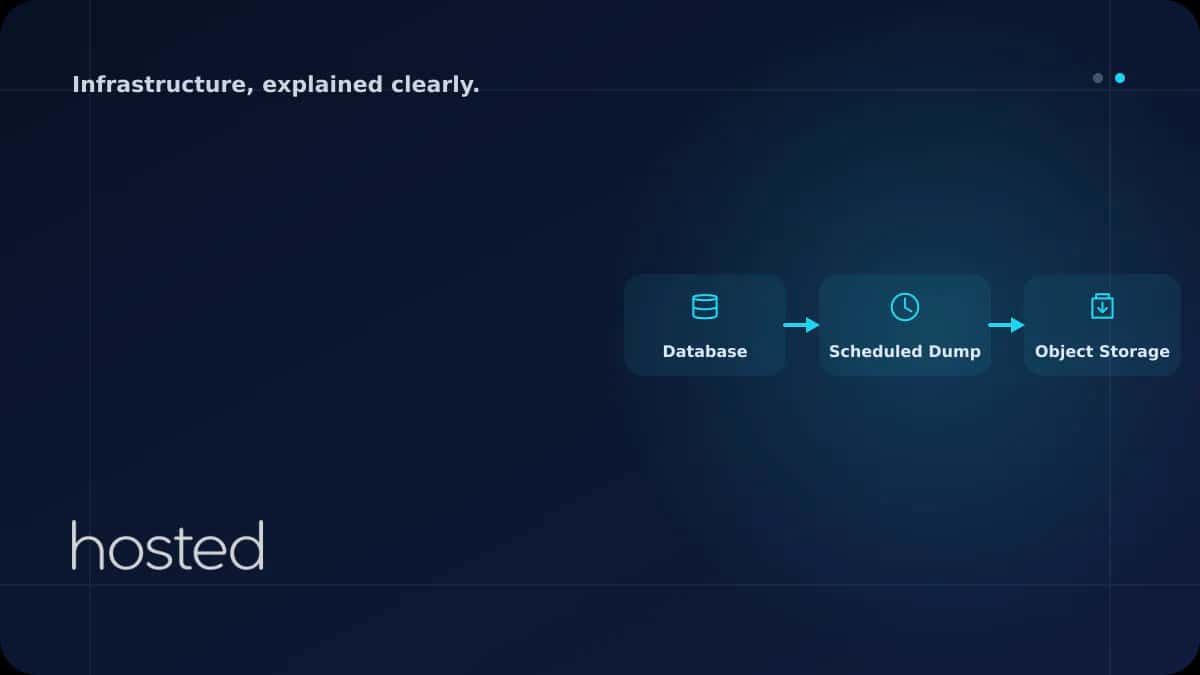
Database Backup Automation - pg_dump, mysqldump & Object Storage
Every system without database backups is a potential disaster waiting to happen. A disk failure, an accidental DROP TABLE command, or a ransomware attack can wipe out years of data in minutes. Manual backups get forgotten, skipped, or end up inconsistent. This guide covers creating automated backup
Elif Demir
Cloud Solutions Architect
Every system without database backups is a potential disaster waiting to happen. A disk failure, an accidental DROP TABLE command, or a ransomware attack can wipe out years of data in minutes. Manual backups get forgotten, skipped, or end up inconsistent. This guide covers creating automated backup scripts for PostgreSQL, MySQL, and MongoDB, securely sending backups to Object Storage, and managing disk space with retention policies.
Backup Strategy: The 3-2-1 Rule
A reliable backup strategy should follow the 3-2-1 rule:
-
3 Copies Keep at least 3 copies of your data: the original + 2 backups. A single backup isn't enough - the backup file itself can become corrupted.
-
2 Different Media Store backups on at least 2 different storage media: local disk + Object Storage or a different server.
-
1 Offsite Copy At least 1 copy should be in a physically different location. A backup in the same data center is lost in a site-wide failure.
PostgreSQL Automated Backup
#!/bin/bash
TIMESTAMP=$(date +%Y%m%d_%H%M%S)
BACKUP_DIR="/backups/postgresql"
DB_NAME="production_db"
S3_BUCKET="s3://my-backups/postgresql"

mkdir -p $BACKUP_DIR

# Custom format backup (compressed, parallel restore support)
pg_dump -Fc -j 4 -d $DB_NAME \
  -f $BACKUP_DIR/$DB_NAME_$TIMESTAMP.dump

# Verify backup file is not empty
if [ -s $BACKUP_DIR/$DB_NAME_$TIMESTAMP.dump ]; then
  aws s3 cp $BACKUP_DIR/$DB_NAME_$TIMESTAMP.dump $S3_BUCKET/
  echo "[OK] Backup successful: $DB_NAME_$TIMESTAMP.dump"
else
  echo "[ERROR] Backup file is empty!" >&2
  exit 1
fi

# Clean old backups (retention policy)
find $BACKUP_DIR -name "*.dump" -mtime +30 -delete
⚠️ Critical: After writing your backup script, always perform a restore test. A backup that can't be restored is not a backup. Run a restore test in a staging environment at least once a month and measure the duration - this is the foundation of your RTO (Recovery Time Objective) calculation.
💡 Restore Commands: PostgreSQL: pg_restore -j 4 -d mydb backup.dump | MySQL: gunzip < backup.sql.gz | mysql mydb | MongoDB: mongorestore --gzip --archive=backup.gz
For database security, check our Database Security guide. For snapshot strategies, see our Snapshot and Backup Strategies guide. For Object Storage, read our Object Storage guide. The PostgreSQL Backup Documentation and mysqldump Reference are useful additional resources.
Frequently Asked Questions
Should I use logical or physical backups?
Logical backups (pg_dump, mysqldump) are portable and can be restored to different versions but are slow for large databases. Physical backups (pg_basebackup, Percona XtraBackup) are faster but require the same version and architecture for restore. Use logical for small-medium databases, physical for large ones.
Does the database lock during backup?
PostgreSQL pg_dump uses MVCC and doesn't block reads or writes. MySQL mysqldump with --single-transaction backs up InnoDB tables without locking. MongoDB mongodump with --oplog takes consistent backups. Always use these parameters in production.
How often should I back up?
It depends on your RPO (Recovery Point Objective). Daily backup = maximum 24 hours of data loss. Hourly backup = maximum 1 hour of loss. For zero data loss, use WAL archiving (PostgreSQL) or binlog replication (MySQL).
Conclusion
Automated database backup is an essential part of any production environment. Follow the 3-2-1 rule, schedule with cron, send offsite copies to Object Storage, and most importantly, perform regular restore tests. Even if your backup script is running, a backup that can't be restored won't protect you.
Keep Your Data Safe
Protect your data with Hosted Cloud's automated backup and Object Storage solutions.
Explore Cloud Server Plans →Elif Demir
Cloud Solutions Architect
Specializing in enterprise cloud migration projects and hybrid infrastructure design with 8 years of experience in AWS, Azure, and private cloud environments.
Comments coming soon