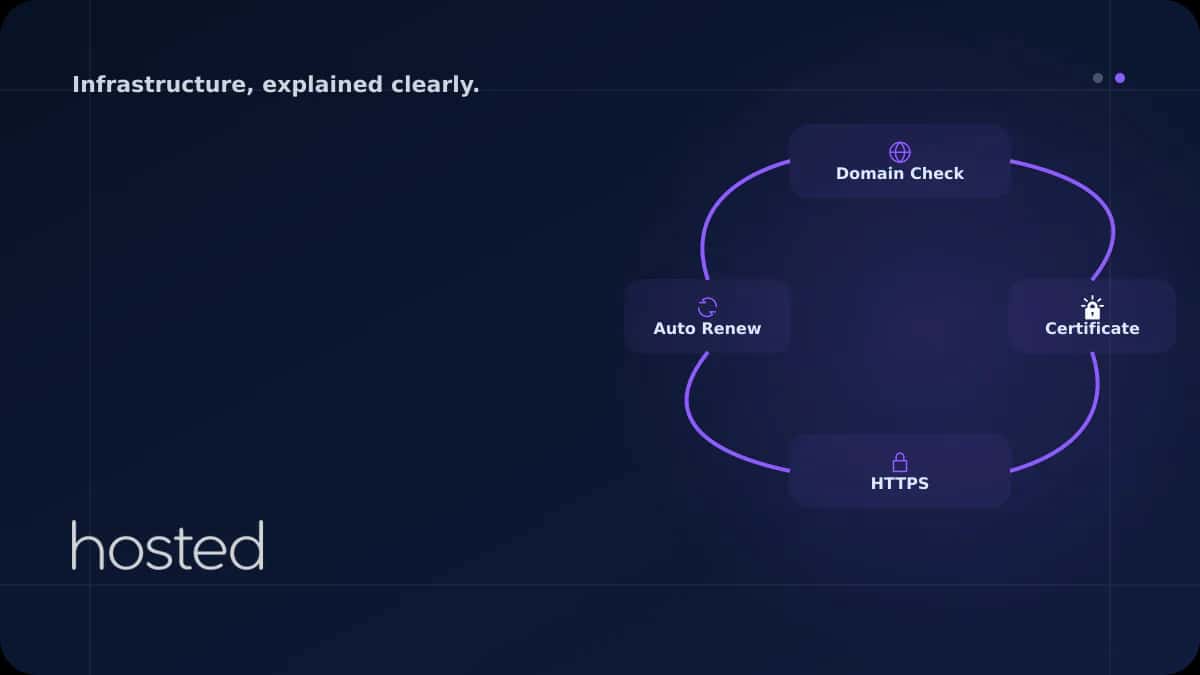
Let's Encrypt ile Ücretsiz SSL Sertifikası: Otomatik Yenileme Kurulumu
Let's Encrypt, ücretsiz DV (Domain Validation) SSL/TLS sertifikaları sunan ve internet trafiğinin şifrelenmesini yaygınlaştırmayı hedefleyen bir sertifika otoritesidir. 2024 itibarıyla 300 milyondan fazla aktif sertifika ile dünyanın en büyük sertifika sağlayıcısıdır. Sertifikalar 90 gün geçerlidir
Merve Arslan
WordPress & Hosting Uzmanı
Let's Encrypt, ücretsiz DV (Domain Validation) SSL/TLS sertifikaları sunan ve internet trafiğinin şifrelenmesini yaygınlaştırmayı hedefleyen bir sertifika otoritesidir. 2024 itibarıyla 300 milyondan fazla aktif sertifika ile dünyanın en büyük sertifika sağlayıcısıdır. Sertifikalar 90 gün geçerlidir ve certbot ile otomatik yenileme yapılandırarak kesintisiz HTTPS sağlayabilirsiniz.
Certbot Kurulumu ve İlk Sertifika
# Certbot kurulumu (Ubuntu/Debian)
sudo apt update
sudo apt install certbot python3-certbot-nginx -y

# Nginx ile otomatik sertifika kurulumu
sudo certbot --nginx -d example.com -d www.example.com

# Veya standalone mod (nginx durdurmadan)
sudo certbot certonly --webroot -w /var/www/html \
  -d example.com -d www.example.com

# Sertifika dosyalari:
# /etc/letsencrypt/live/example.com/fullchain.pem
# /etc/letsencrypt/live/example.com/privkey.pem
Nginx SSL Yapılandırması
# HTTP -> HTTPS yonlendirme
server {
    listen 80;
    server_name example.com www.example.com;
    return 301 https://$host$request_uri;
}

server {
    listen 443 ssl http2;
    server_name example.com www.example.com;

    ssl_certificate     /etc/letsencrypt/live/example.com/fullchain.pem;
    ssl_certificate_key /etc/letsencrypt/live/example.com/privkey.pem;

    # Guvenli TLS yapilandirmasi
    ssl_protocols TLSv1.2 TLSv1.3;
    ssl_prefer_server_ciphers off;
    ssl_session_cache shared:SSL:10m;

    # HSTS
    add_header Strict-Transport-Security "max-age=31536000; includeSubDomains" always;

    root /var/www/html;
}
Otomatik Yenileme Yapılandırması
Let's Encrypt sertifikaları 90 gün geçerlidir. Certbot otomatik yenileme timer'ı genellikle kurulumla birlikte aktif olur. Yenileme işlemini test edin ve cron/systemd timer'ın çalıştığını doğrulayın.
# Yenileme testini calistir (gercek yenileme yapmaz)
sudo certbot renew --dry-run

# Systemd timer durumunu kontrol et
sudo systemctl status certbot.timer

# Manuel cron eklemek isterseniz:
# 0 3 * * * certbot renew --quiet --deploy-hook "systemctl reload nginx"

# Sertifika bilgilerini goruntule
sudo certbot certificates

# Wildcard sertifika (DNS challenge gerektirir)
sudo certbot certonly --manual --preferred-challenges dns \
  -d "*.example.com" -d example.com
💡 İpucu: Wildcard sertifikalar DNS challenge gerektirir ve otomatik yenileme için DNS API entegrasyonu yapılmalıdır. Cloudflare, DigitalOcean ve Route53 gibi DNS sağlayıcıları için certbot eklentileri mevcuttur. Örnek: certbot --dns-cloudflare
SSL/TLS sertifika türleri hakkında detaylı bilgi için SSL/TLS Sertifika Türleri rehberimizi, Nginx yapılandırması için Nginx Reverse Proxy rehberimizi inceleyin. Sunucu güvenliği için Hardening Checklist yazımıza göz atın. Hosted Cloud bulut sunucuları ile ücretsiz SSL destekli altyapınızı oluşturun.
Sıkça Sorulan Sorular
Let's Encrypt sertifikası ücretli sertifikalar kadar güvenli mi?
Evet, şifreleme gücü açısından Let's Encrypt DV sertifikaları ücretli DV sertifikalarıyla aynıdır. Fark yalnızca doğrulama seviyesindedir. E-ticaret siteleri için OV/EV sertifikası tercih edilebilir ancak şifreleme kalitesi aynıdır.
Sertifika yenileme başarısız olursa ne olur?
Certbot yenilemeyi sertifika süresinin dolmasından 30 gün önce dener. Başarısız olursa birden fazla kez tekrar dener. Sertifika süresi dolarsa siteniz HTTPS uyarısı gösterir. deploy-hook ile yenileme sonrası bildirim ayarlayın.
Rate limit nedir ve nasıl aşılır?
Let's Encrypt haftalık 50 sertifika/domain limiti uygular. Test sırasında --staging flag'ini kullanarak staging ortamında sınırsız test yapabilirsiniz. Üretim sertifikası almadan önce staging ile doğrulayın.
Birden fazla domain için tek sertifika alabilir miyim?
Evet, SAN (Subject Alternative Name) sertifikası ile tek sertifikada 100'e kadar domain tanımlayabilirsiniz. Certbot'ta -d parametresini birden fazla kez kullanarak ekleyin: -d a.com -d b.com -d c.com
90 günlük süre neden bu kadar kısa?
Kısa süre güvenlik avantajı sağlar: ele geçirilmiş bir sertifikanın etki süresi sınırlıdır. Ayrıca otomatik yenilemeyi teşvik eder ve sertifika yönetiminin otomasyonunu zorunlu kılar. Certbot ile otomatik yenileme kurulduğunda süre bir sorun olmaz.
Sonuç
Let's Encrypt ile ücretsiz SSL sertifikası almak ve otomatik yenileme yapılandırmak dakikalar sürer. Certbot'un Nginx entegrasyonu ile HTTPS geçişini otomatikleştirin, HSTS ile güvenliği artırın ve wildcard sertifikalar ile tüm alt domainlerinizi koruyun.
Ücretsiz SSL ile Güvenli Hosting
Hosted Cloud bulut sunucuları ile Let's Encrypt entegrasyonu ve otomatik SSL yenileme desteği alın.
Bulut Sunucu Planlarını İncele →Merve Arslan
WordPress & Hosting Uzmanı
WordPress performans optimizasyonu, hosting seçimi ve e-ticaret altyapıları üzerine rehber içerikler hazırlamaktadır.
Yorumlar yakında