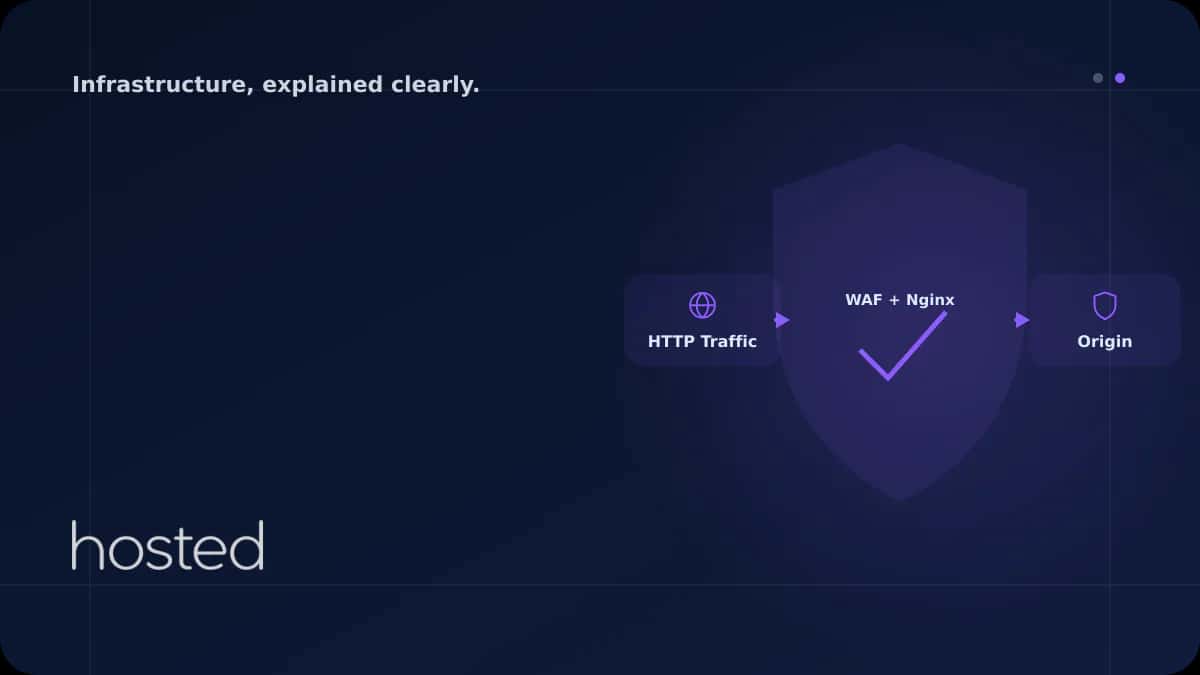
WAF Kurulumu: ModSecurity ile Nginx Entegrasyonu
Web Application Firewall (WAF), web uygulamalarınızı SQL injection, XSS, dosya dahil etme ve diğer OWASP Top 10 saldırılarına karşı koruyan bir güvenlik katmanıdır. ModSecurity, en yaygın kullanılan açık kaynak WAF motorudur ve Nginx ile entegre çalışır. Bu rehberde ModSecurity kurulumu, OWASP Core
Merve Arslan
WordPress & Hosting Uzmanı
Web Application Firewall (WAF), web uygulamalarınızı SQL injection, XSS, dosya dahil etme ve diğer OWASP Top 10 saldırılarına karşı koruyan bir güvenlik katmanıdır. ModSecurity, en yaygın kullanılan açık kaynak WAF motorudur ve Nginx ile entegre çalışır. Bu rehberde ModSecurity kurulumu, OWASP Core Rule Set (CRS) yapılandırması ve production ortamında false positive yönetimini ele alıyoruz.
WAF Nedir ve Neden Gereklidir?
Geleneksel firewall'lar (iptables, nftables) ağ katmanında çalışır ve IP/port bazlı filtreleme yapar. Ancak HTTP trafiği içindeki kötü niyetli payload'ları tespit edemez. WAF, HTTP isteklerinin içeriğini analiz ederek SQL injection, XSS ve path traversal gibi uygulama katmanı saldırılarını engeller.
| Özellik | Ağ Firewall | WAF |
|---|---|---|
| Çalışma Katmanı | L3/L4 (IP, TCP, UDP) | L7 (HTTP/HTTPS) |
| SQL Injection Tespiti | Hayır | Evet |
| XSS Koruması | Hayır | Evet |
| Bot Tespiti | Sınırlı | User-Agent, davranış analizi |
ModSecurity v3 + Nginx Kurulumu
ModSecurity v3 (libmodsecurity), Nginx ile dinamik modül olarak çalışır. Ubuntu/Debian üzerinde kurulum:
# Bagimliliklari kur
sudo apt install libmodsecurity3 libmodsecurity-dev

# Nginx ModSecurity connector'u derle
git clone https://github.com/owasp-modsecurity/ModSecurity-nginx
# Nginx'i --add-dynamic-module ile yeniden derle veya
# paket yoneticisinden nginx-plus-module-modsecurity kur

# OWASP CRS kurallarini indir
git clone https://github.com/coreruleset/coreruleset /etc/nginx/modsec/crs
cp /etc/nginx/modsec/crs/crs-setup.conf.example /etc/nginx/modsec/crs/crs-setup.conf
Nginx yapılandırmasında ModSecurity'yi etkinleştirin:
server {
    modsecurity on;
    modsecurity_rules_file /etc/nginx/modsec/main.conf;

    location / {
        proxy_pass http://backend;
    }
}
⚠️ Dikkat: ModSecurity'yi ilk kurulumda SecRuleEngine DetectionOnly modunda çalıştırın. Bu mod saldırıları loglar ancak engellemez. Log'ları analiz edip false positive'leri temizledikten sonra SecRuleEngine On ile engelleme moduna geçin.
WAF yapılandırması hakkında daha fazla bilgi için OWASP CRS resmi dokümantasyonunu inceleyebilirsiniz. DDoS koruması ile WAF'ı birlikte kullanmak için DDoS Koruma rehberimize göz atın. Hosted Cloud bulut sunucuları ile ModSecurity'yi yüksek performansla çalıştırabilirsiniz.
Sıkça Sorulan Sorular
ModSecurity performansı etkiler mi?
OWASP CRS ile ModSecurity, istek başına 1-5 ms ek gecikme ekler. Yüksek trafikli sitelerde bu ihmal edilebilir düzeydedir. Gereksiz kuralları devre dışı bırakarak ve paranoia seviyesini ayarlayarak performansı optimize edebilirsiniz.
False positive sorununu nasıl çözerim?
DetectionOnly modunda çalıştırarak log'ları analiz edin. Meşru istekleri engelleyen kuralları SecRuleRemoveById ile devre dışı bırakın veya SecRule ile whitelist oluşturun. OWASP CRS paranoia seviyesini 1'den başlatın.
ModSecurity ile Cloudflare WAF birlikte kullanılabilir mi?
Evet, katmanlı güvenlik için idealdir. Cloudflare WAF ilk savunma hattı olarak L7 saldırılarını filtreler, ModSecurity ise origin sunucuda ikinci katman koruma sağlar. İki WAF'ın kuralları çakışmaz.
OWASP CRS paranoia seviyesi ne anlama gelir?
Paranoia seviyesi 1-4 arasında değişir. Seviye 1 en az false positive ile temel korumaları sağlar. Seviye 4 en agresif korumadır ancak false positive oranı yüksektir. Çoğu production ortamı için seviye 1 veya 2 önerilir.
WAF, API endpoint'lerini de korur mu?
Evet, ModSecurity JSON ve XML body'leri de analiz edebilir. API endpoint'leri için özel kurallar yazarak injection saldırılarını engelleyebilirsiniz. REST API'ler için rate limiting kuralları da eklenebilir.
Sonuç
ModSecurity + OWASP CRS kombinasyonu, web uygulamalarınızı SQL injection, XSS ve diğer OWASP Top 10 saldırılarına karşı koruyan güçlü bir açık kaynak çözümdür. DetectionOnly modunda başlayarak false positive'leri temizleyin, ardından engelleme moduna geçin. Paranoia seviyesini kademeli artırarak güvenlik ve kullanılabilirlik dengesini koruyun.
Güvenli Web Altyapısı
Hosted Cloud bulut sunucuları ile ModSecurity WAF'ı yüksek performansla çalıştırın ve uygulamalarınızı koruyun.
Güvenli Sunucu Planlarını İncele →Merve Arslan
WordPress & Hosting Uzmanı
WordPress performans optimizasyonu, hosting seçimi ve e-ticaret altyapıları üzerine rehber içerikler hazırlamaktadır.
Yorumlar yakında