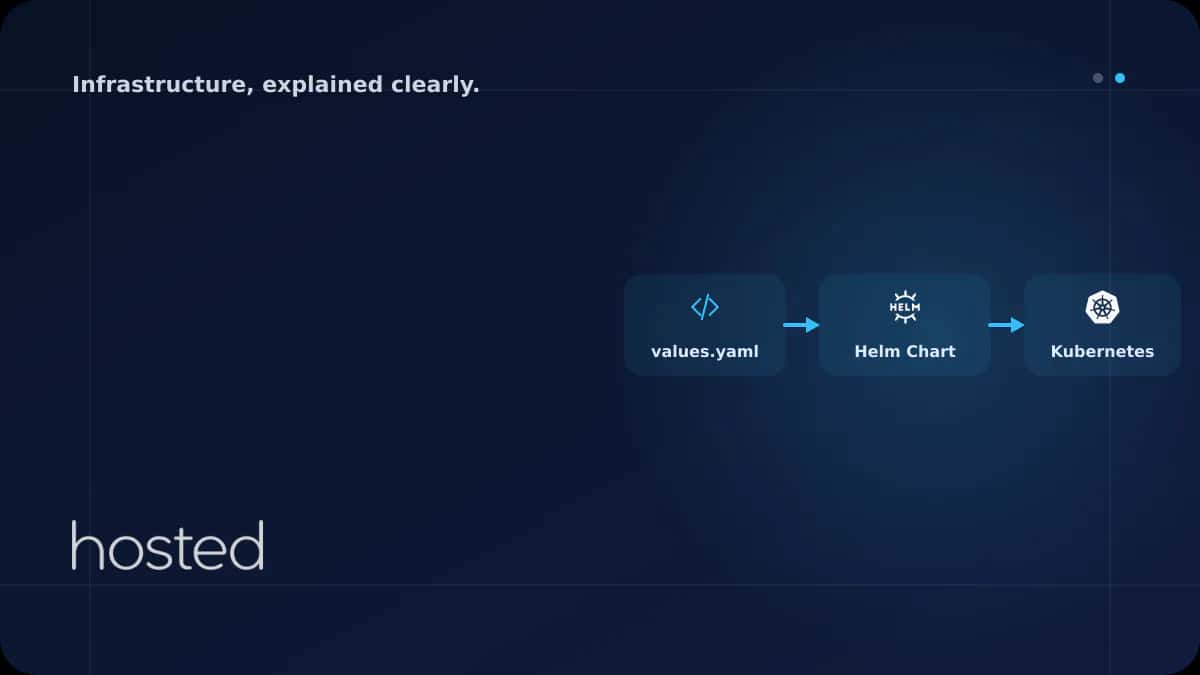
Helm Chart Nedir? Kubernetes Uygulama Dağıtımını Standardize Etmek
Kubernetes uygulamaları onlarca YAML dosyasından oluşabilir: Deployment, Service, ConfigMap, Secret, Ingress ve daha fazlası. Her ortam (dev, staging, prod) için bu dosyaları ayrı ayrı yönetmek hata yapmaya açıktır. Helm, Kubernetes için bir paket yöneticisidir ve bu YAML dosyalarını parametrik "cha
Can Kaya
Güvenlik Uzmanı
Kubernetes uygulamaları onlarca YAML dosyasından oluşabilir: Deployment, Service, ConfigMap, Secret, Ingress ve daha fazlası. Her ortam (dev, staging, prod) için bu dosyaları ayrı ayrı yönetmek hata yapmaya açıktır. Helm, Kubernetes için bir paket yöneticisidir ve bu YAML dosyalarını parametrik "chart" olarak paketleyerek tek komutla dağıtmanızı sağlar.
Helm Nedir ve Neden Kullanılır?
Helm, CNCF mezunu bir projedir ve Kubernetes ekosisteminin standart paket yöneticisi olarak kabul edilir. Üç temel kavramı vardır:
| Kavram | Açıklama | Benzetme |
|---|---|---|
| Chart | Kubernetes kaynaklarının şablon paketi | apt/yum paketi gibi |
| Release | Chart'ın cluster'a kurulmuş bir örneği | Kurulmuş paket gibi |
| Repository | Chart'ların depolandığı sunucu | apt repository gibi |
Helm Chart Yapısı
# Yeni chart olustur
helm create my-web-app

# Olusan dizin yapisi
my-web-app/
  Chart.yaml          # Chart meta bilgileri (ad, surum, aciklama)
  values.yaml         # Varsayilan yapilandirma degerleri
  charts/             # Bagimli chart'lar (sub-charts)
  templates/          # Kubernetes YAML sablonlari
    deployment.yaml
    service.yaml
    ingress.yaml
    hpa.yaml
    _helpers.tpl      # Yeniden kullanilabilir template fonksiyonlari
    NOTES.txt         # Kurulum sonrasi kullaniciya gosterilen notlar
values.yaml ile Parametrik Yapılandırma
values.yaml, chart'ın tüm yapılandırılabilir değerlerini içerir. Farklı ortamlar için ayrı values dosyaları oluşturarak aynı chart'ı dev, staging ve prod'da farklı ayarlarla kullanabilirsiniz.
replicaCount: 2

image:
  repository: myregistry/web-app
  tag: "v1.2.0"
  pullPolicy: IfNotPresent

service:
  type: ClusterIP
  port: 80

ingress:
  enabled: true
  hostname: app.hosted.cloud
  tls: true

resources:
  requests:
    cpu: 100m
    memory: 128Mi
  limits:
    cpu: 500m
    memory: 512Mi

autoscaling:
  enabled: true
  minReplicas: 2
  maxReplicas: 10
  targetCPUUtilization: 60
Template Kullanımı
Helm template'leri Go template sözdizimini kullanır. {{ .Values.xxx }} ile values.yaml'daki değerlere, {{ .Release.Name }} ile release adına erişirsiniz.
apiVersion: apps/v1
kind: Deployment
metadata:
  name: {{ .Release.Name }}-web
spec:
  replicas: {{ .Values.replicaCount }}
  selector:
    matchLabels:
      app: {{ .Release.Name }}
  template:
    spec:
      containers:
      - name: {{ .Chart.Name }}
        image: "{{ .Values.image.repository }}:{{ .Values.image.tag }}"
        resources:
          {{- toYaml .Values.resources | nindent 10 }}
Temel Helm Komutları
# Chart'i kur
helm install my-release ./my-web-app

# Farkli values dosyasiyla kur (prod ortami)
helm install my-release ./my-web-app -f values-prod.yaml

# Komut satirindan deger gecir
helm install my-release ./my-web-app --set image.tag=v1.3.0

# Guncelle (upgrade)
helm upgrade my-release ./my-web-app -f values-prod.yaml

# Geri al (rollback)
helm rollback my-release 1

# Kurulu release'leri listele
helm list

# Template'i render et (debug icin)
helm template my-release ./my-web-app -f values-prod.yaml

# Kaldir
helm uninstall my-release
💡 İpucu: helm template komutu chart'ı cluster'a göndermeden render eder. CI/CD pipeline'ında YAML çıktısını doğrulamak ve kubectl diff ile mevcut durumla karşılaştırmak için kullanın.
Kubernetes temel kavramları için Kubernetes Giriş rehberimizi, otomatik ölçekleme için HPA rehberimizi inceleyin. GitOps ile sürekli teslimat için ArgoCD rehberimize göz atın. Helm resmi dokümantasyonu ve Artifact Hub (topluluk chart'ları) ek kaynak olarak faydalıdır.
Sıkça Sorulan Sorular
Helm 2 ile Helm 3 arasındaki fark nedir?
Helm 3, Tiller bileşenini kaldırarak güvenlik sorunlarını çözdü. Release bilgileri artık cluster'daki Secret'larda saklanır. Helm 2 desteği sona ermiştir, tüm yeni projeler Helm 3 kullanmalıdır.
Kustomize mi Helm mi kullanmalıyım?
Kustomize overlay tabanlı, Helm template tabanlıdır. Basit ortam farklılıkları için Kustomize yeterlidir. Karmaşık uygulamalar, bağımlılık yönetimi ve topluluk chart'ları için Helm daha uygundur. İkisi birlikte de kullanılabilir.
Helm chart'ı nasıl paylaşırım?
Chart'ı helm package ile .tgz dosyasına paketleyin. OCI registry (Docker Hub, GitHub Packages) veya ChartMuseum gibi bir Helm repository'ye yükleyin. Açık kaynak chart'lar için Artifact Hub'ı kullanabilirsiniz.
Secret'ları values.yaml'da saklamak güvenli mi?
Hayır. values.yaml genellikle Git'te saklanır ve hassas veriler açığa çıkar. Secret'lar için helm-secrets eklentisi, SOPS veya External Secrets Operator kullanın. Hassas değerleri CI/CD pipeline'ından --set ile geçirin.
Sonuç
Helm Chart, Kubernetes uygulamalarını paketlemenin ve dağıtmanın standart yoludur. values.yaml ile ortam bazlı yapılandırma, template fonksiyonları ile tekrar kullanılabilirlik ve rollback ile güvenli güncelleme sağlar. Chart yapısını öğrenin, ortam bazlı values dosyaları oluşturun ve CI/CD pipeline'ınıza entegre edin.
Kubernetes Altyapınızı Güçlendirin
Hosted Cloud bulut sunucuları ile Helm chart'larınızı yüksek performanslı altyapıda çalıştırın.
Bulut Sunucu Planlarını İncele →Can Kaya
Güvenlik Uzmanı
Siber güvenlik, DDoS koruması ve sunucu sertleştirme konularında içerikler üretmektedir. CISSP sertifikalı güvenlik uzmanı.
Yorumlar yakında